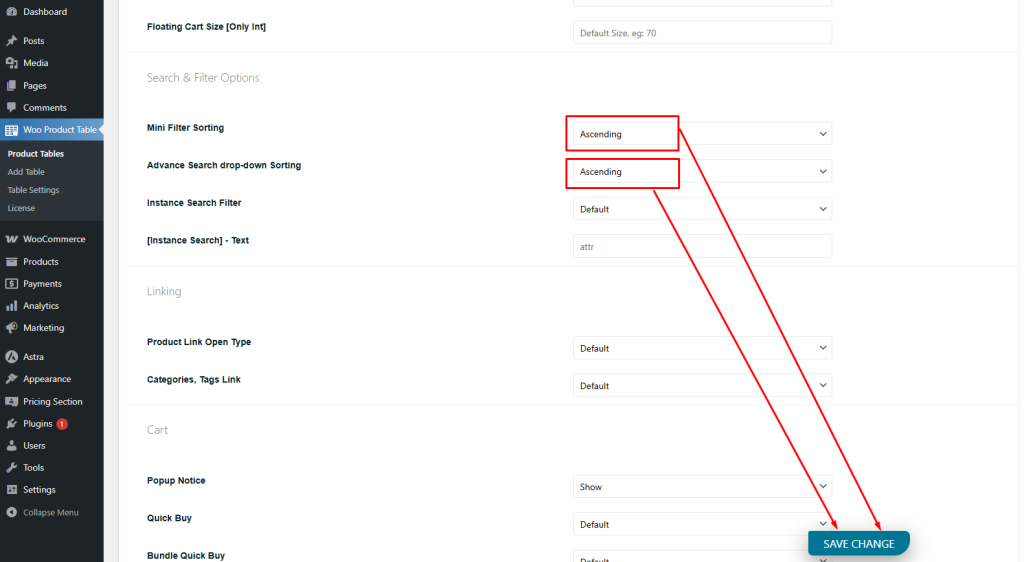
Table Options
Mini Filter/Search Box Taxonomy Sorting
📊 How to Sort Data Using the Mini-Filter or Search Box Taxonomy
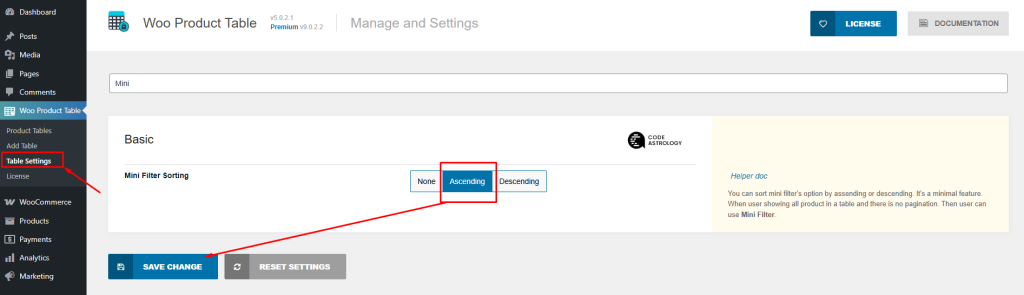
To set up the Mini-Filter:
- Don’t forget to save the changes!
- Go to your Table Settings.
- Search for “Mini-Filter” in the options.
- Select your preferred settings.
If you want to sort data within a table only: Sorting your data is easy! Just follow these steps:
- Go to the “Configurations” tab in your product table settings.
- Scroll down to find the sorting options for both the mini-filter and search box taxonomies.
- Choose your preferred sorting method to organize your data just the way you need.
This helps you display your products more clearly and improve user experience. Let us know if you need help with the setup!