


Table Options
Customize product thumbnail image size
To adjust the Thumbs Image Size:
- Go to your Table Settings.
- Search for “Thumbs Image Size” in the options.
- Select your preferred image size.
- Make sure to save the changes!
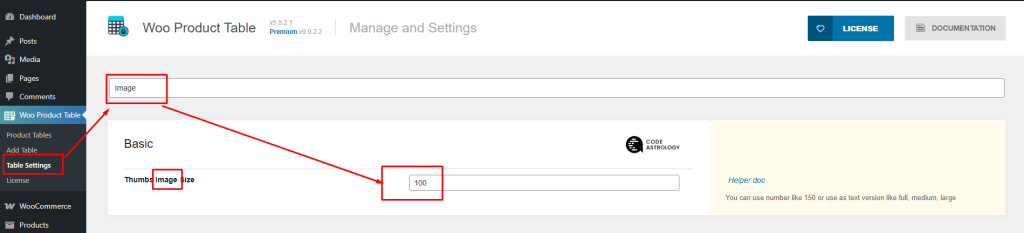
You can change the thumb image size from the 'Configuration > Basic > Thumbs Image Size'. Please use only integer values. (For Specific Table)

For example - set the thumbs image size as 100 and The Result:

