


Show/Hide Pagination
In our product table, By default, pagination is on, if you want you can disable pagination. There is a section called “Pagination" in the “Options” tab. Also, you will see other options in the pagination section. see below:
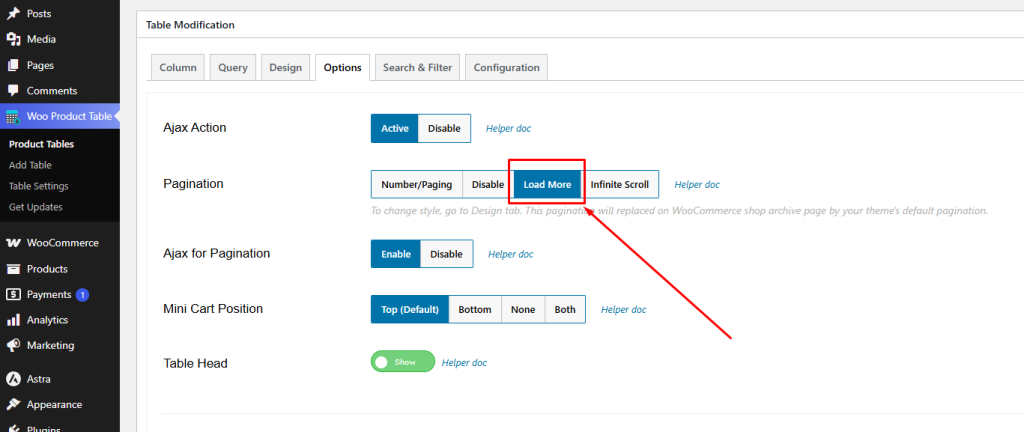
Disable: If you want to hide or disable pagination then select the " Disable" option.
Number/Paging: If you want to display your pagination in numbers, then select the " Number/Paging" option.
Load More Button: If you want to display the Load more Button under the product tabl,e then select the " Load More Button " Option.
Infinite Scroll: our product table has an infinite scroll option. So, if you want, then select the infinite scroll option.
Enable/Disable Ajax Action For Pagination
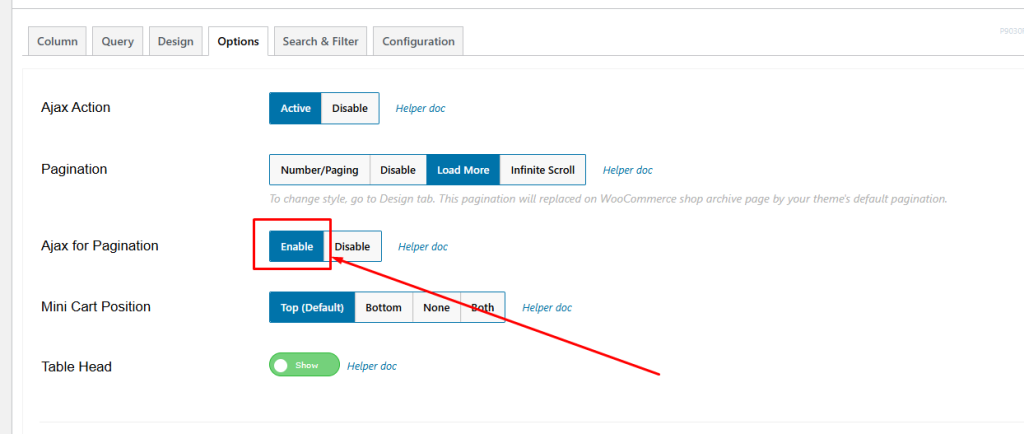
Ajax pagination will help to load products without reloading the page. But sometimes you may need to reload the page as well. In this case, you can disable ajax action for pagination.
There is a section “Ajax for Pagination (Enable/Disable)” in the “Options” tab.
Change your pagination Design
You can change the pagination design from the ‘Design’ tab using the ‘Pagination’ Section.
Here is the list below, which you can change from there.
- Active Color
- Hover Color
- Border Color
- Text Color
- Active Text Color
- Alignment

