Enable Third Party Plugin Support
You may need additional features beyond what WooCommerce offers. To achieve this, you can use various plugins and ensure their functionalities also work with the Product Table. The good news is, they will work seamlessly!
How does it work?
If you have extra features on WooCommers single product page, that will display inside our plugin action column. Please also note that some features may not work. If you have faced a situation like that, please contact our support team.
How to enable it?
In our action column, you'll find a checkbox to enable the third-party plugin support option. Simply check it.

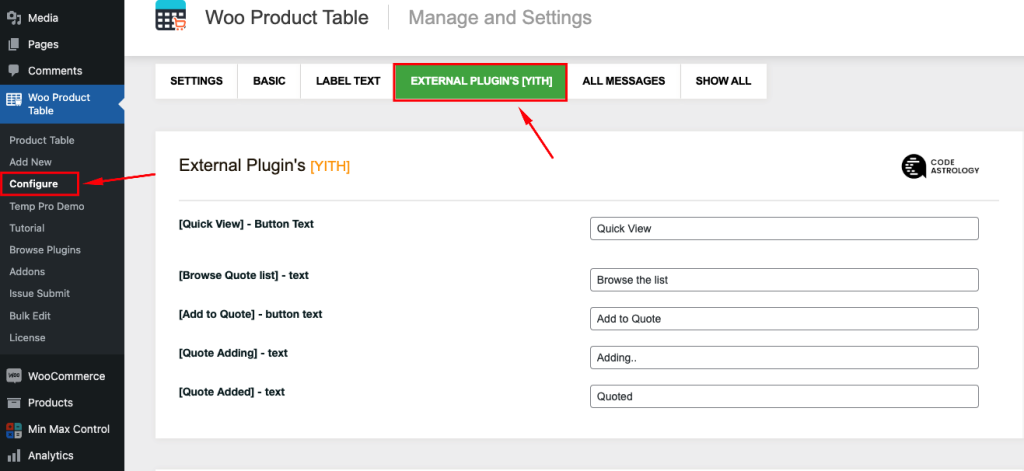
After enabling Third Party Plugin Support, you will find plugin customization options under Configure > External Plugin. For example, if you have installed the YITH Request a Quote for WooCommerce plugin, its settings will appear there.