Table Options
Add Custom Taxonomy as Table Column
- First, create a custom taxonomy
First, you need to create at least one custom taxonomy.
I use the free CPT UI plugin from WordPress.org to create custom taxonomies effortlessly. After installation, simply navigate to "Add/Edit Taxonomies," fill in the details, and click "Add Taxonomy" to create your custom taxonomy:
- Add a new column with a custom taxonomy
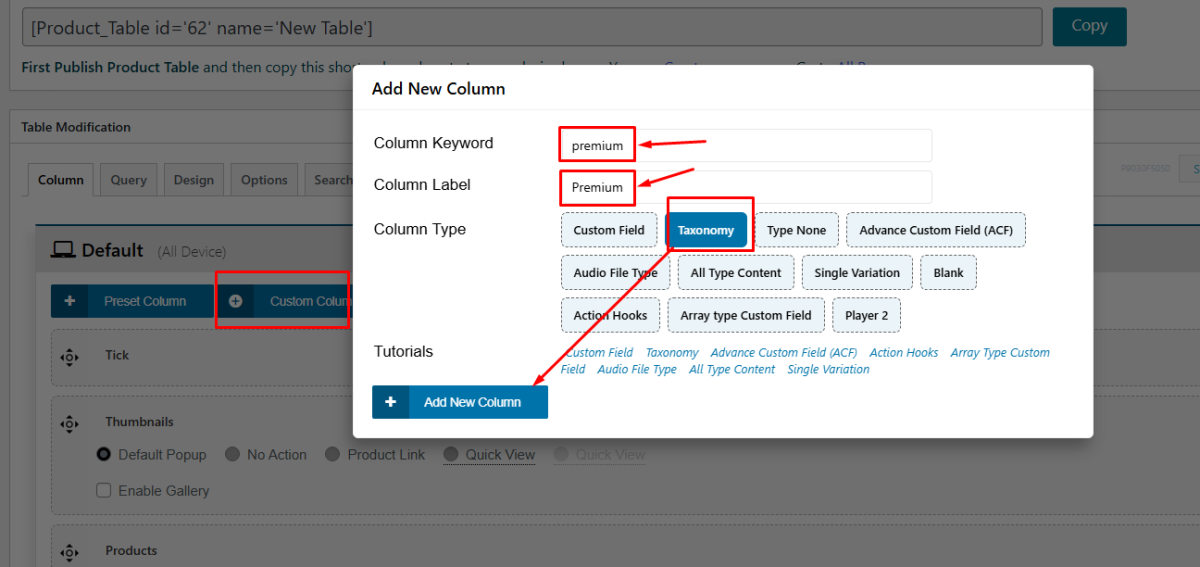
Add column Keyword, Label, and select Column Type as Taxonomy.
- Assign the new Premium taxonomy to your products
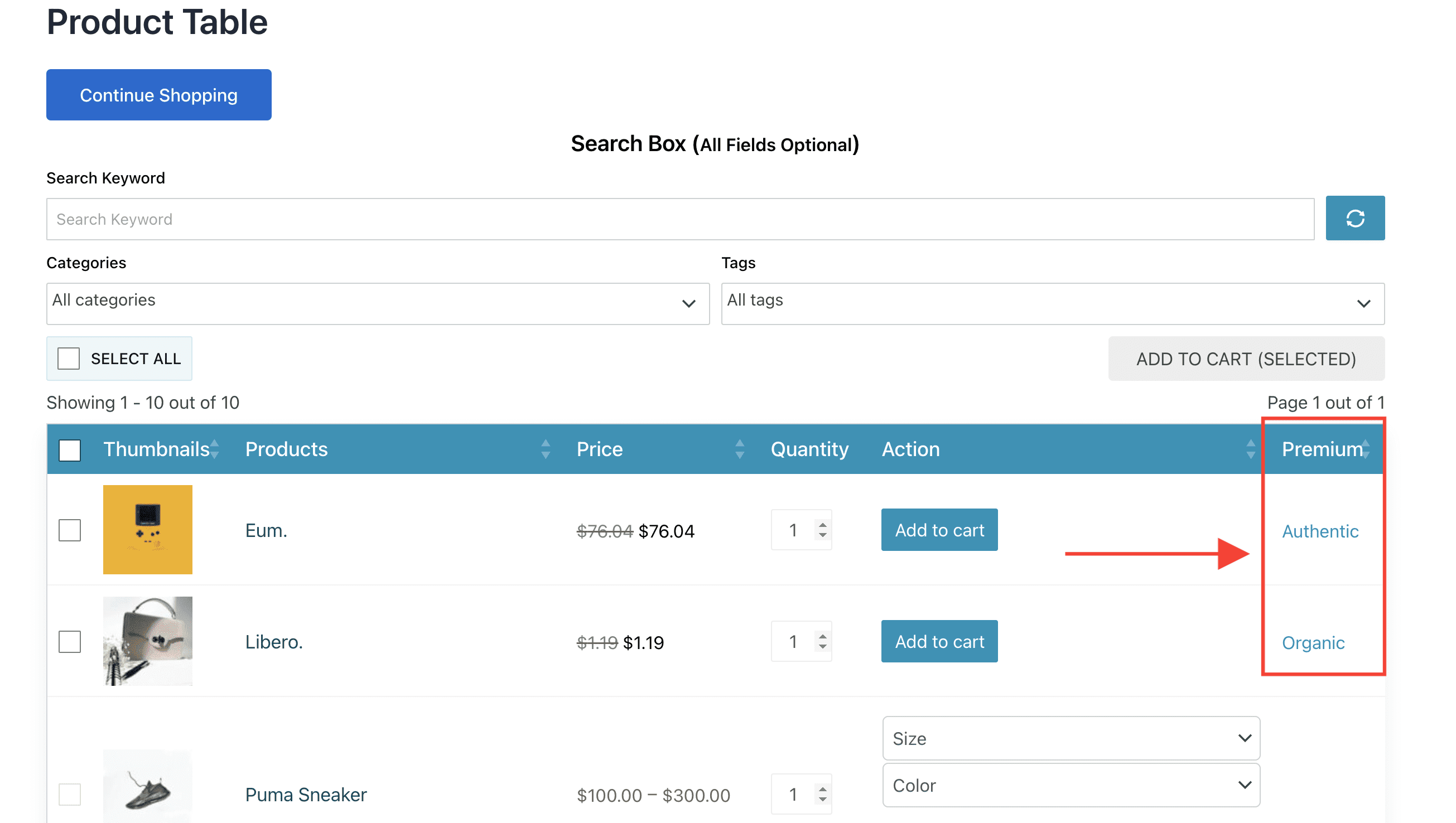
- Output will be like this screenshot: