Show Product Variations as Table
Generally, in almost every online shop, we can see product variations shown as a dropdown. But these dropdowns could be shown as a table.

Before creating a variations table, you should know that
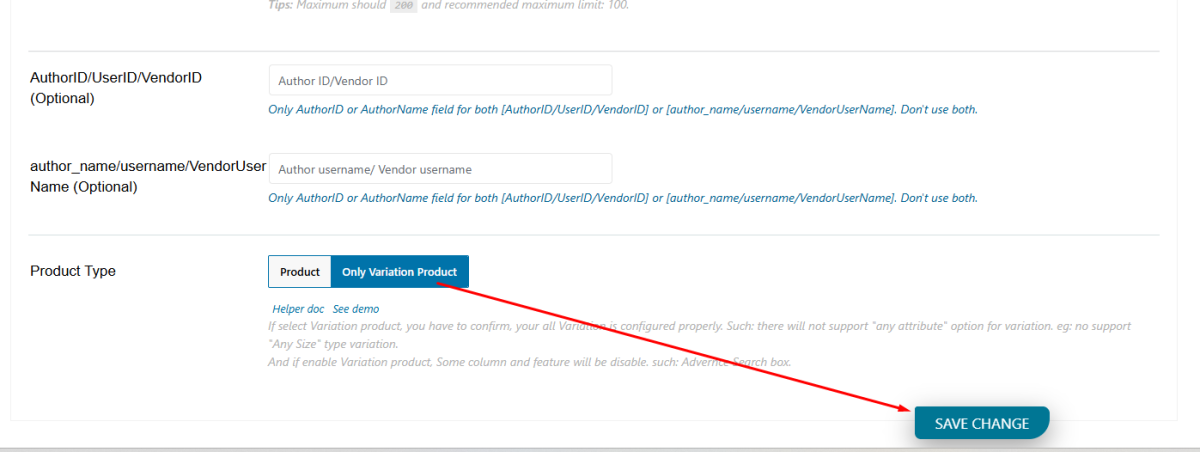
If you select a Variation product, you have to confirm, all your Variation is configured properly. Such: there will no support for "any attribute" option for variation. e.g., no support for "Any Size" type variation.
And if you enable the Variation product, some columns and features will be disabled. such: Attribute, category, tag, Column,and Advance Search box.
To create a product variation like the above screenshot. Let's follow the steps below:
Click on the "Query" tab. Scroll down and you will see "Product Type (Product/Variation Product)". From there, select "Only Variation Product".
See those screenshots below: