


How to create an online music shop using WooCommerce Product Table
If you want to make an online music shop or something like that, then you need to follow the steps below:
If you have already added an audio file to your existing product, then you can start from step 6 below:
Here I am starting to show, how to add an audio file for an existing product.
- Open product page
First, go to add a new product page or edit the existing product.

- Add Audio File
Click to add media button in the product short description to add an audio file.
- Select Audio File and insert IT
Select an audio file from the media library and insert it into the product. See the screenshot below.
- Successfully Added
After adding successfully, the file will look like the below screenshot.
- Publish/update product
Click on "publish" or "update" the product for the next step.
- Create a new product table
Go to the product table from the Dashboard and select Add New to create a new table. Give a title to the table:
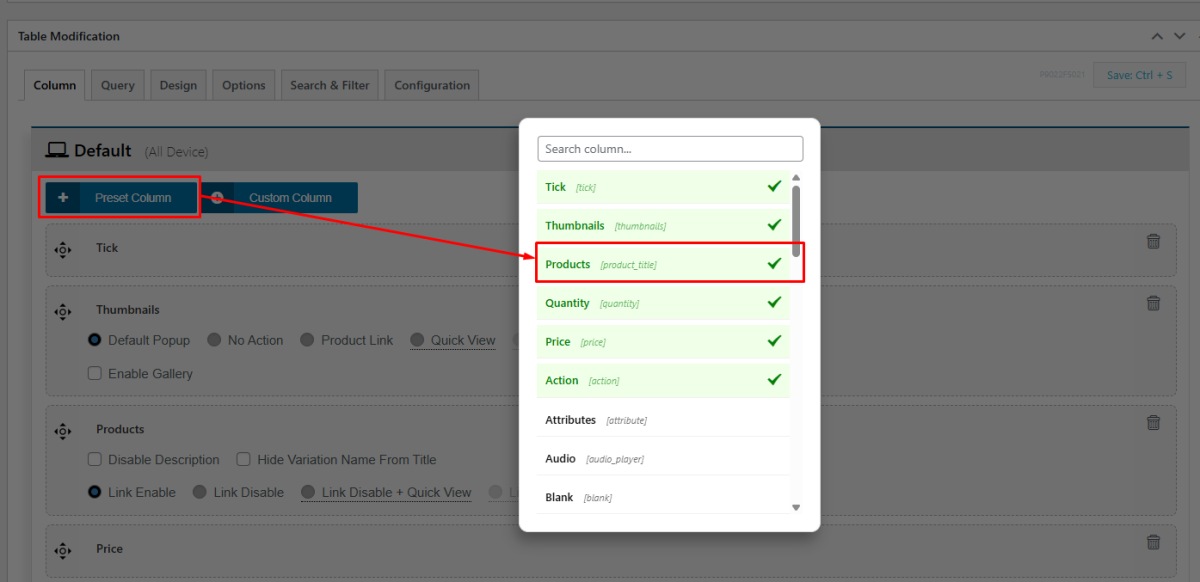
- Select column
Now select columns for your table and you have to select the product column because it shows your audio file as an inner item of your product table. It will look like below
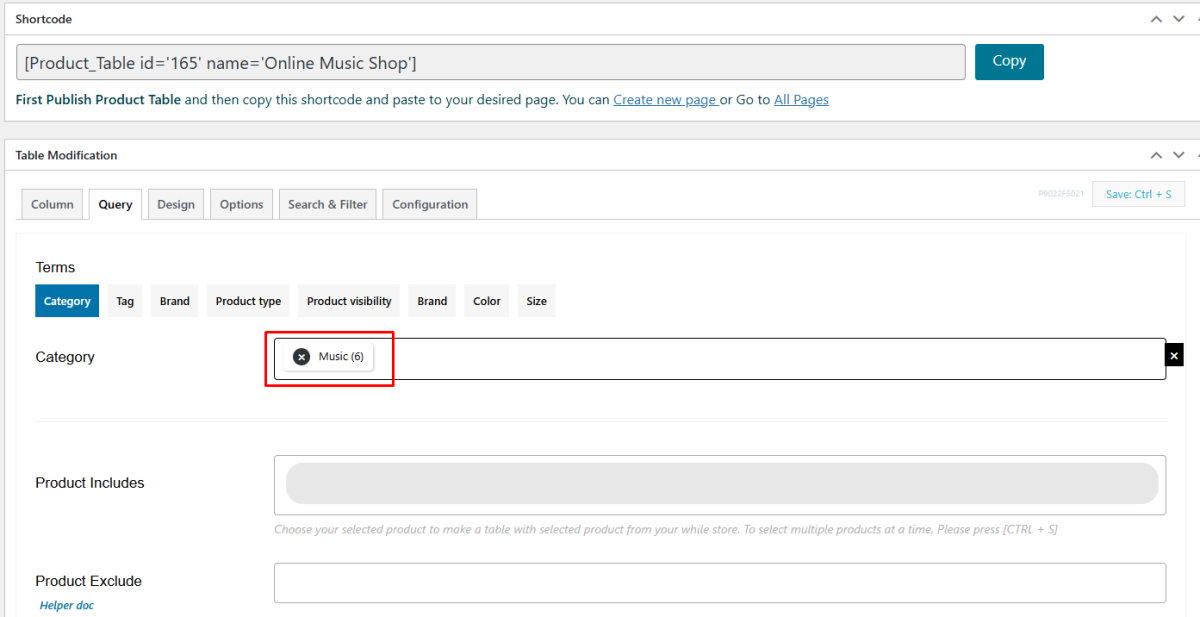
- Select category
Go to the Query tab, here we selected music categories because we want to show only those products that have audio files.
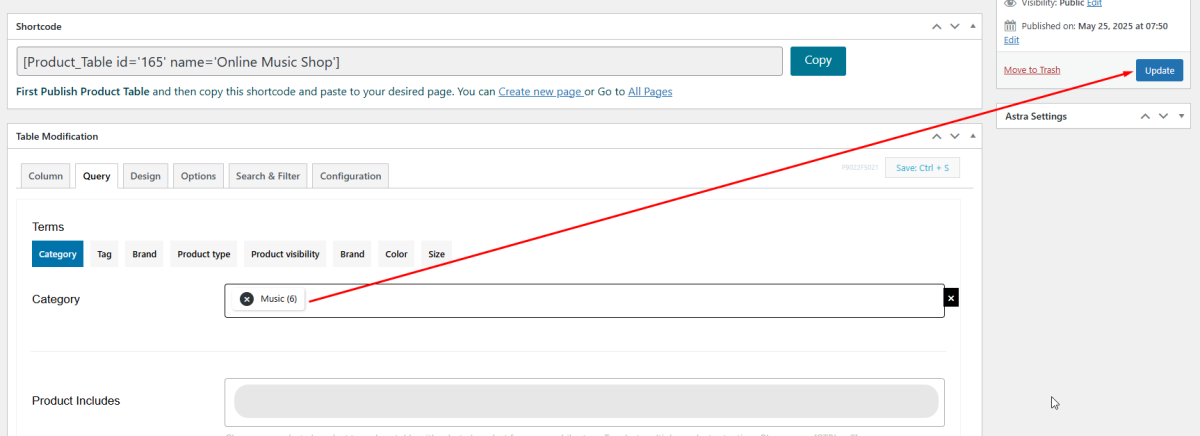
- Publish table
Now publish your table. Look below
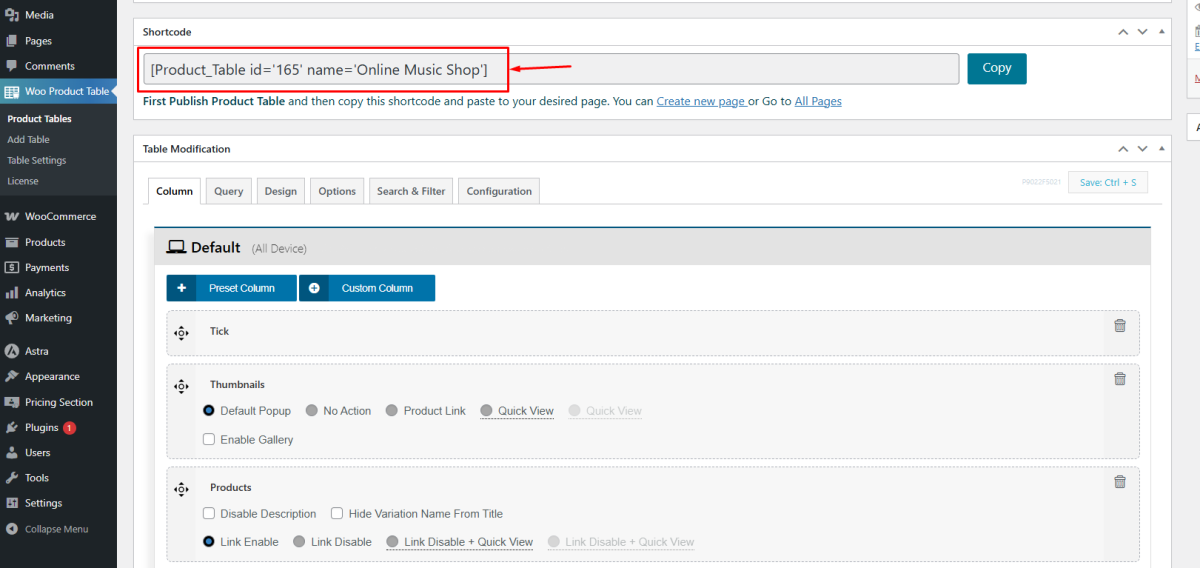
- Use shortcode
Now copy your table shortcode and paste your code to the page where you want to display your table. See the screenshot below.
- Create page
Now you have to create your page. Have a look
- Publish page
Now you have to paste the table shortcode on this page and publish it. See below.
- Visit page
Finally, your table looks like this:




Also, you can see this demo table form here: Demo Table
