Table Options
Display Variation Table On Single Product page
Click here to see the demo.
Would you like to easily display a variation table in the single product page? With our plugin, you can easily implement this feature. Follow these steps to get started:
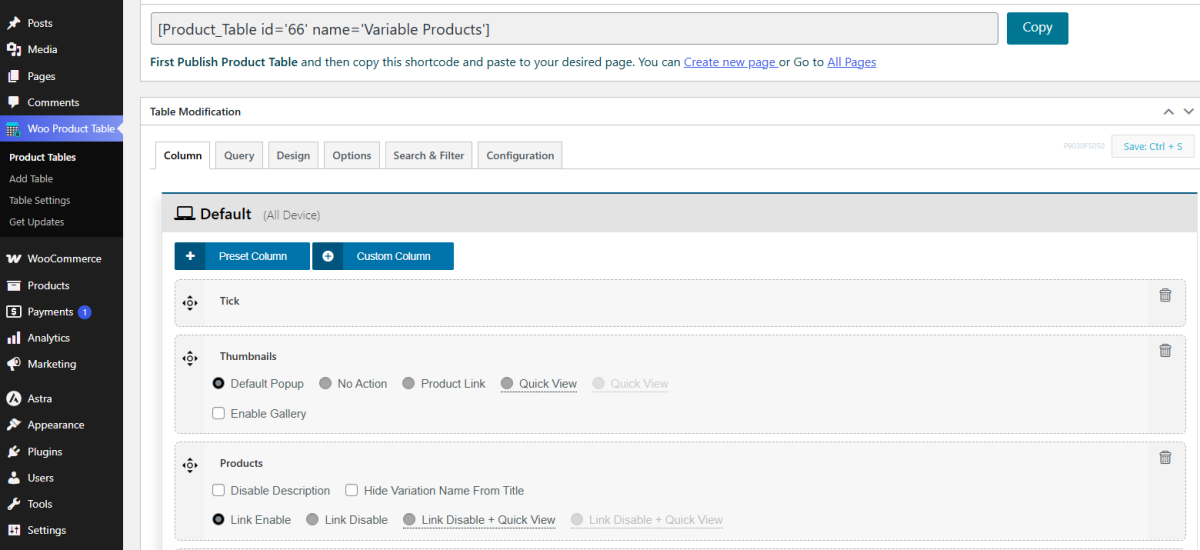
- Create a new table for variable products:
Go to the Woo Product Table and create a new table for variable products:

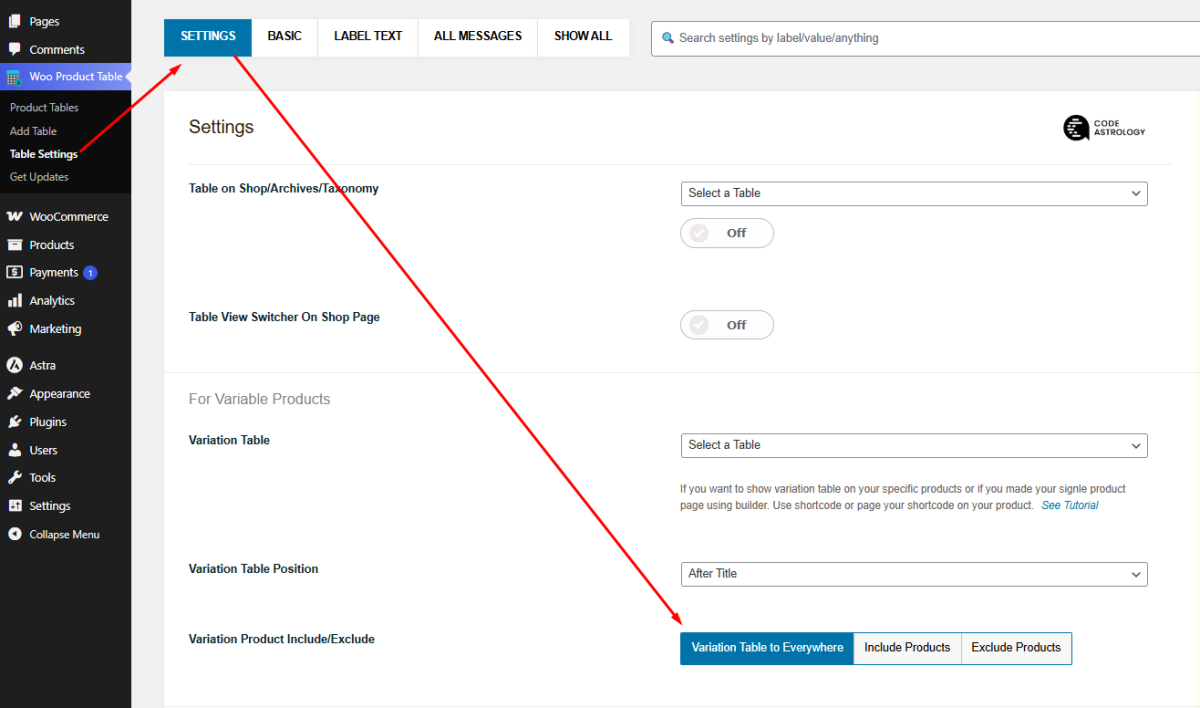
- Select the table as the Variation Table:
Navigate to the Table Settings > Settings page and select the new variable table from the Variation Table options:
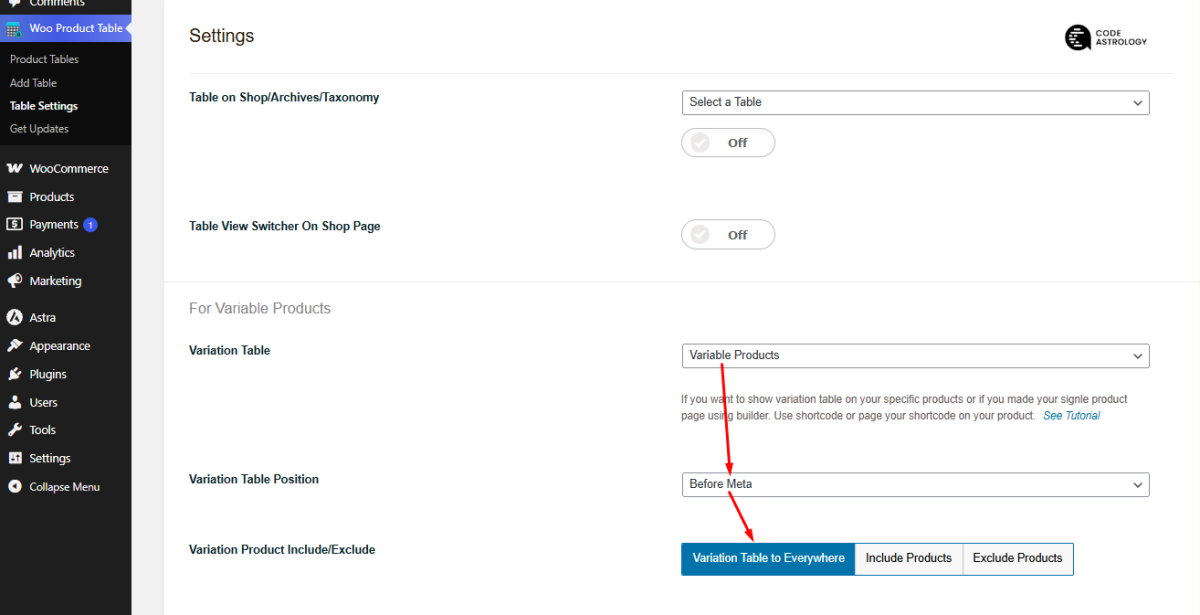
- Set your table position:
Additionally, you have multiple options to set the position for the variation table:
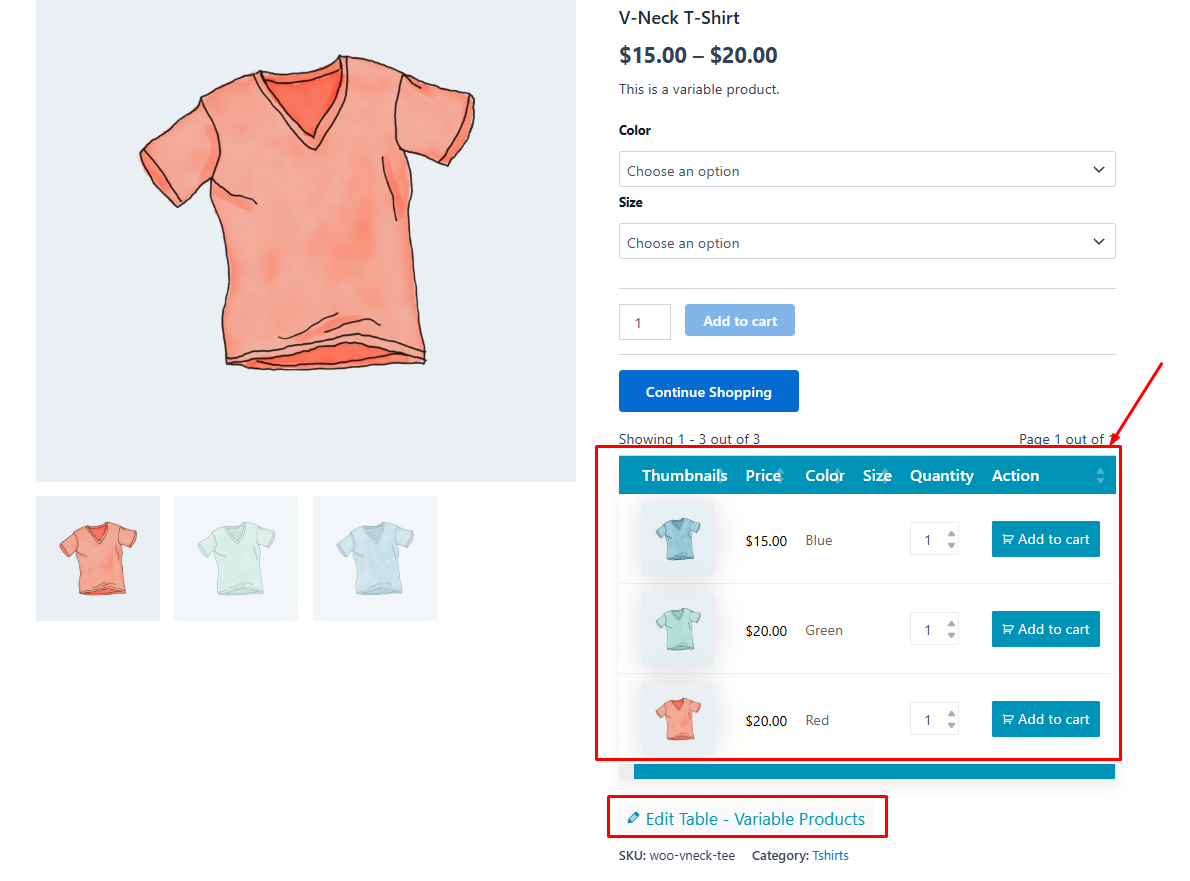
- Save Changes and see the result:
Visit one of your Variable Single Product pages and refresh the page. The Variation table will appear, featuring each variable as a separate column. You also have the option to customize the table individually.