


Table Options
How to Orderby Custom Field
If you want to display your products to orderby custom fields. Then this article is for you. You just have to follow several steps below:
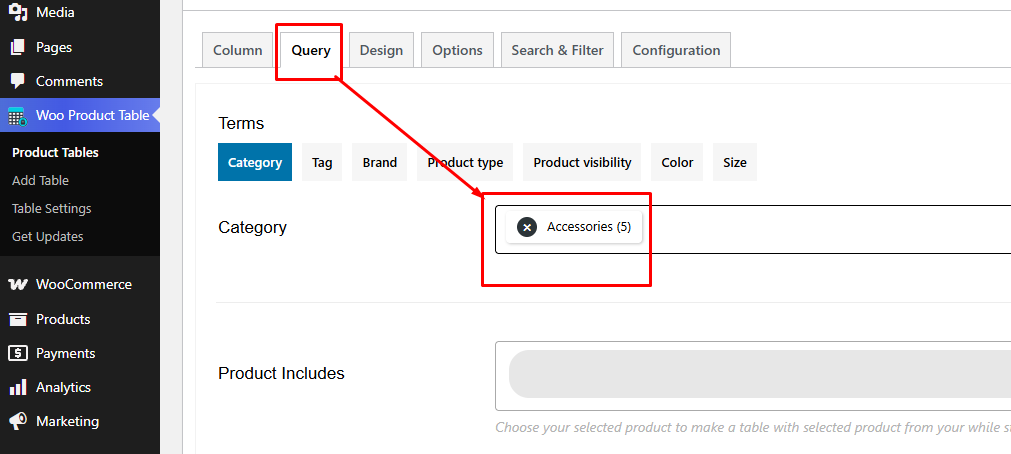
Go to the Query Tab to select the orderby option
- Navigate to the Query Tab:

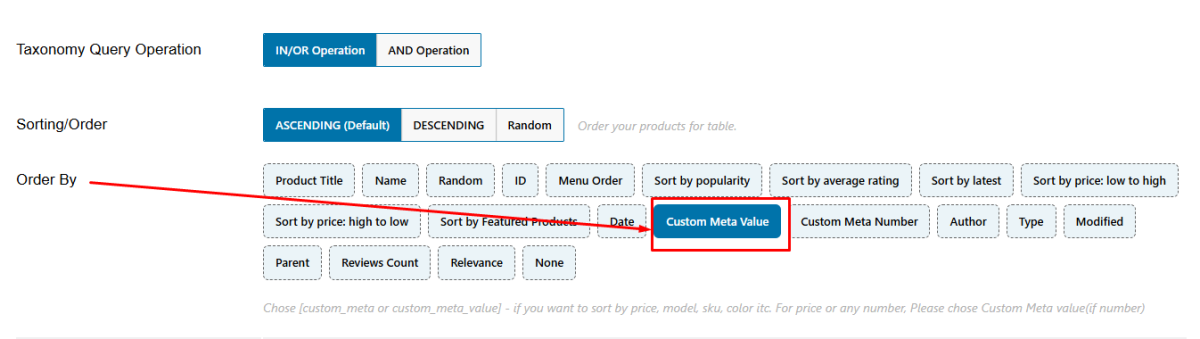
- Select Order by Option:
From the dropdown list, select "Custom Meta Value":
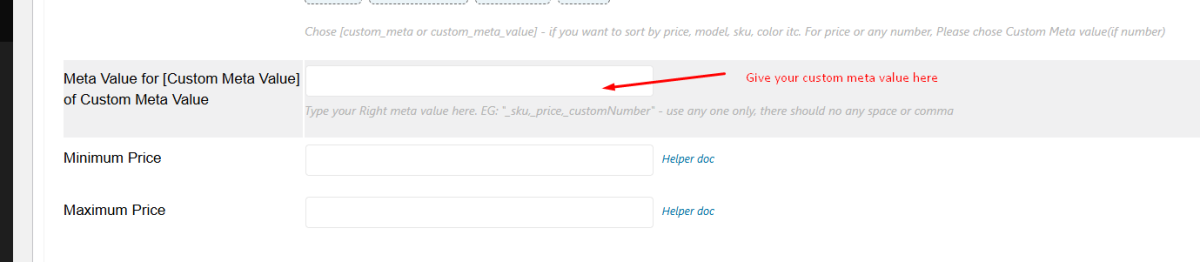
- Insert Custom Meta Value
- Once you've selected "Custom Meta Value," an input field will appear.
- Insert the custom meta value relevant to your products. See the screenshot below for clarification: - Numeric Meta Value
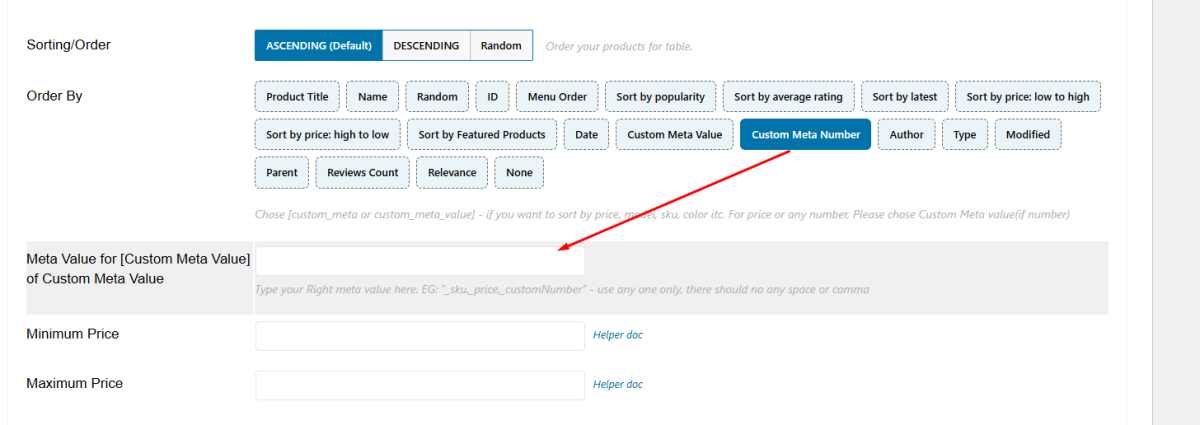
If your custom meta value is numeric, ensure to follow the appropriate configuration. Refer to the screenshot below for guidance:
- Save
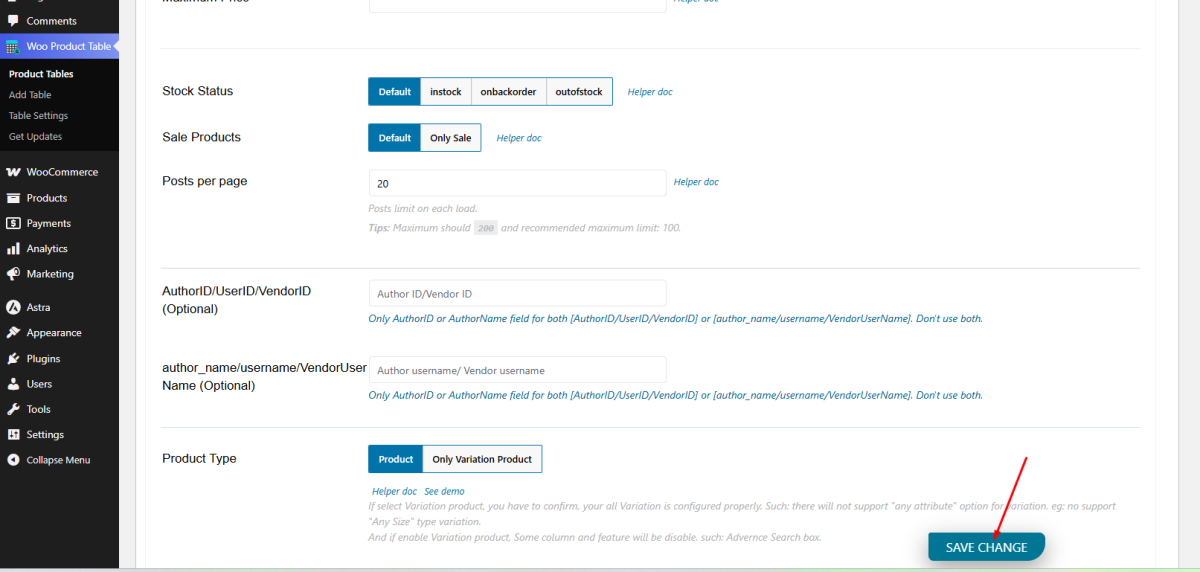
Now you have to scroll down and click the save changes button to save the table. See this screenshot:
That's it. Now you can display your products to order by custom fields.
