


Table Options
How To Show/Hide Query by URL
Would you like to easily share search results or bookmark-specific queries? With our plugin, you can enable the "Query by URL" feature effortlessly. Follow these steps to get started:
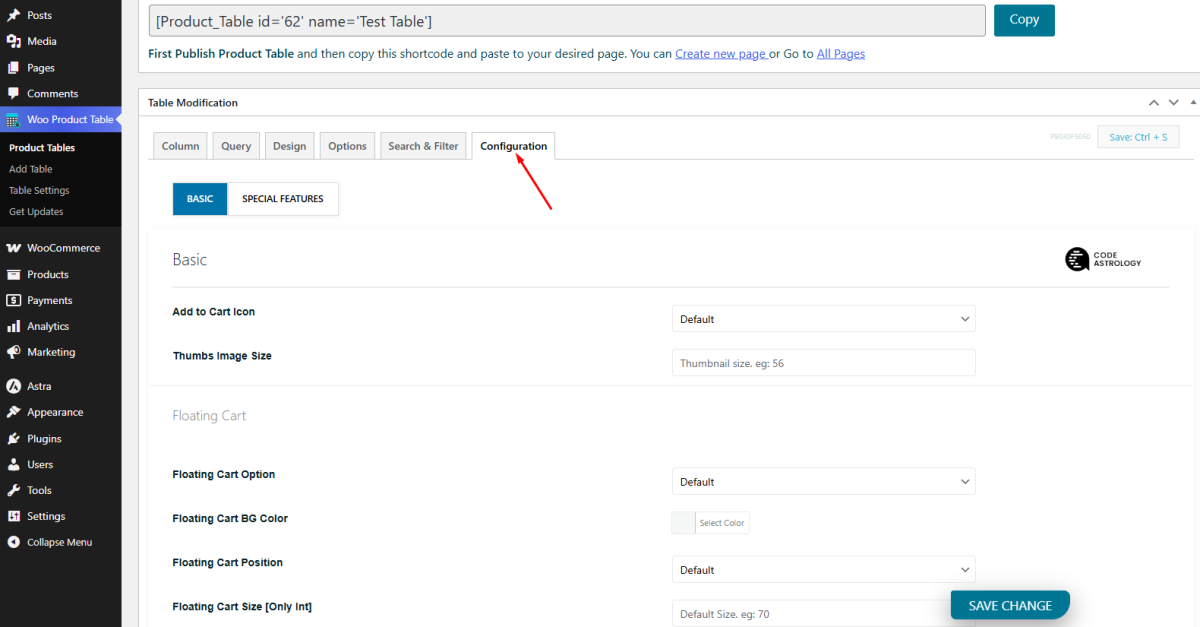
- Navigate to the Configuration Tab:
Go to the "Configuration" tab from the Product Table

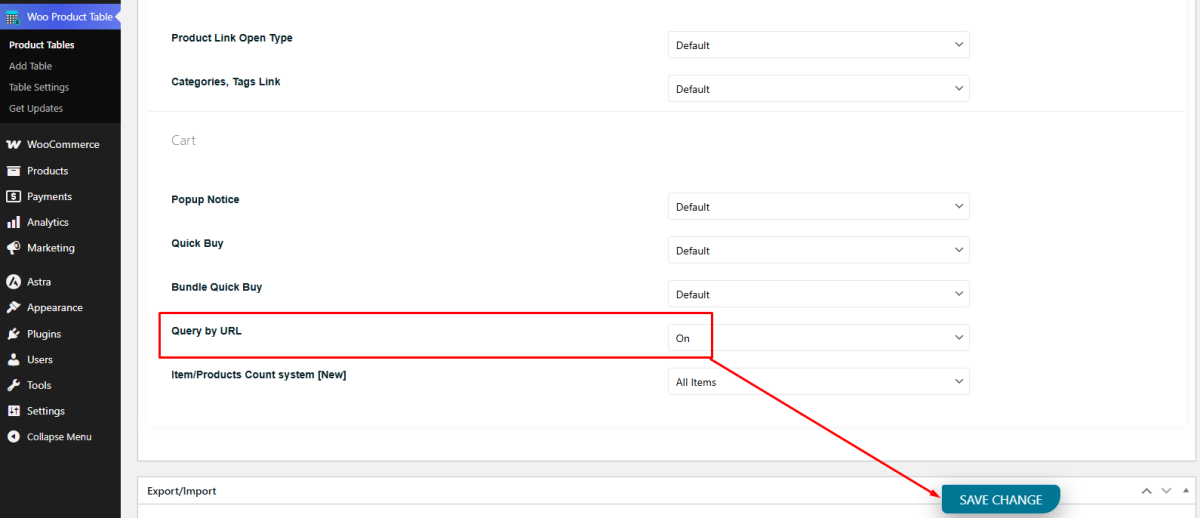
- Locate Query by URL Option:
Select the option to turn on the "Query by URL" feature.
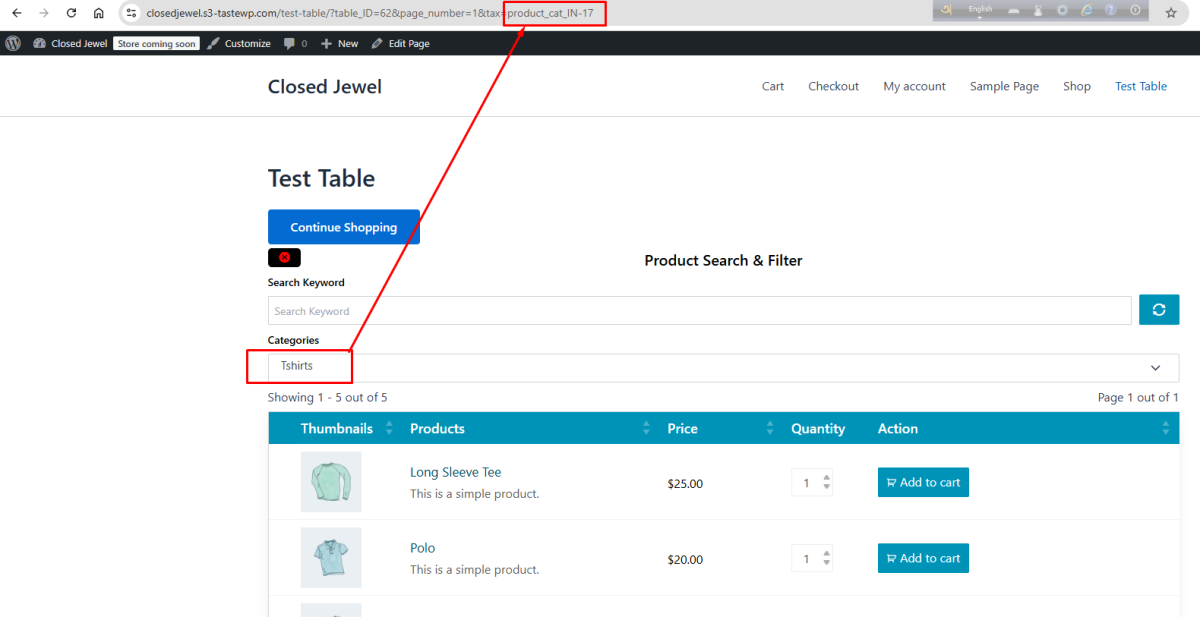
- Show Query By URL
Now, whenever you search for something using our plugin, or if you want to share the search results with someone, you can simply copy the query URL and share it easily!
Other documents.
