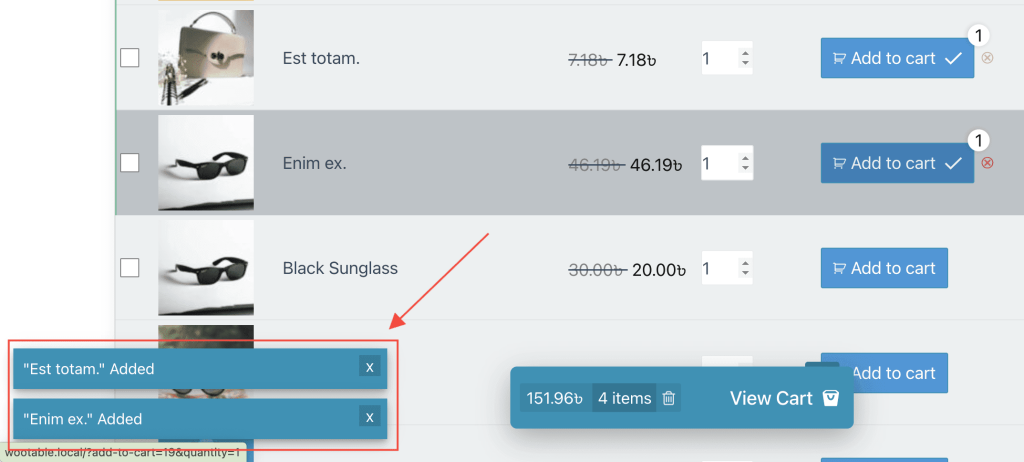
Table Options
Enabling/Disabling Notification Popups for Product Addition to the Cart
🛒 How to Enable or Disable the Cart Notification Popup
By default, when a customer adds a product to the cart, a notification popup appears to confirm the action.
If you'd like to disable this feature, follow these steps:
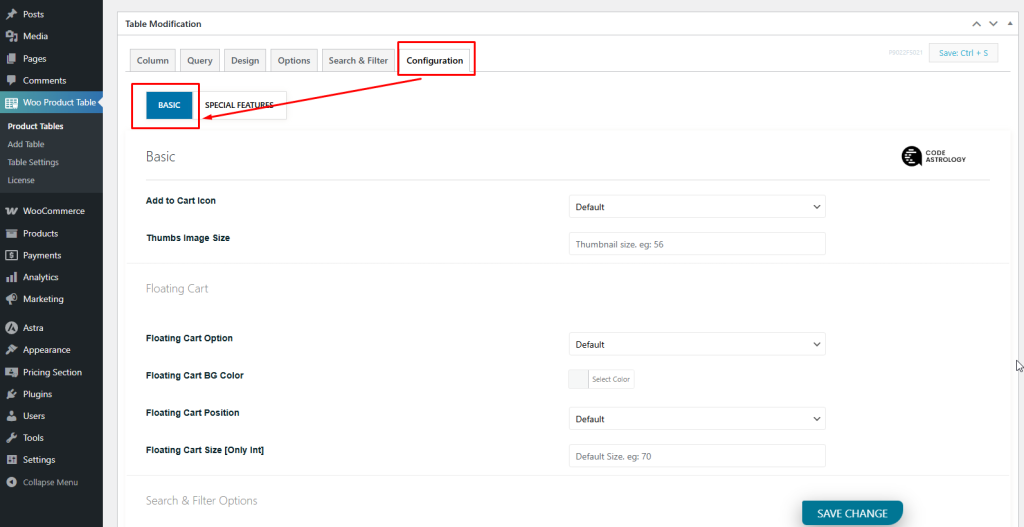
- Go to Configuration > Basic in your settings.
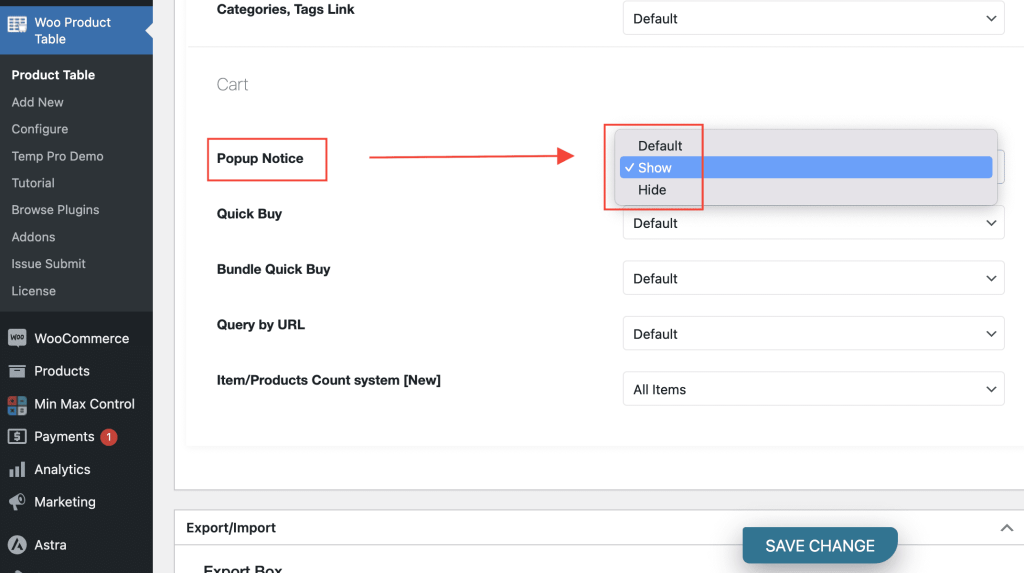
- Scroll down to the Cart Section.
- Locate the "Popup Notice" option.
- Use the dropdown to enable or disable the cart notification popup as desired.
This gives you full control over the cart behavior and user experience.
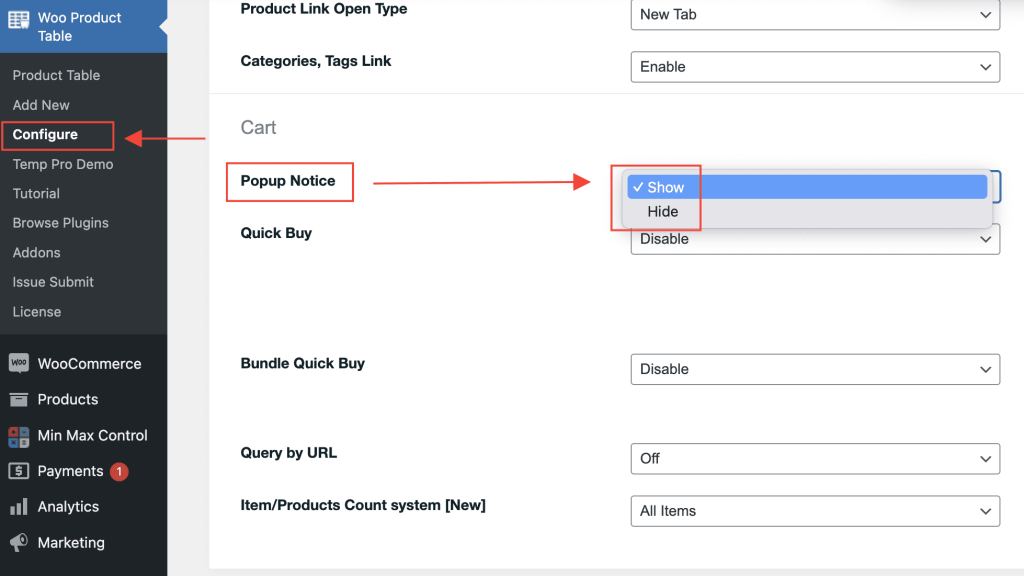
Alternatively, you can find the same option on the 'Configure > Basic > Popup Notice'. This option applies to all tables.
The popup cart notification will look like this: