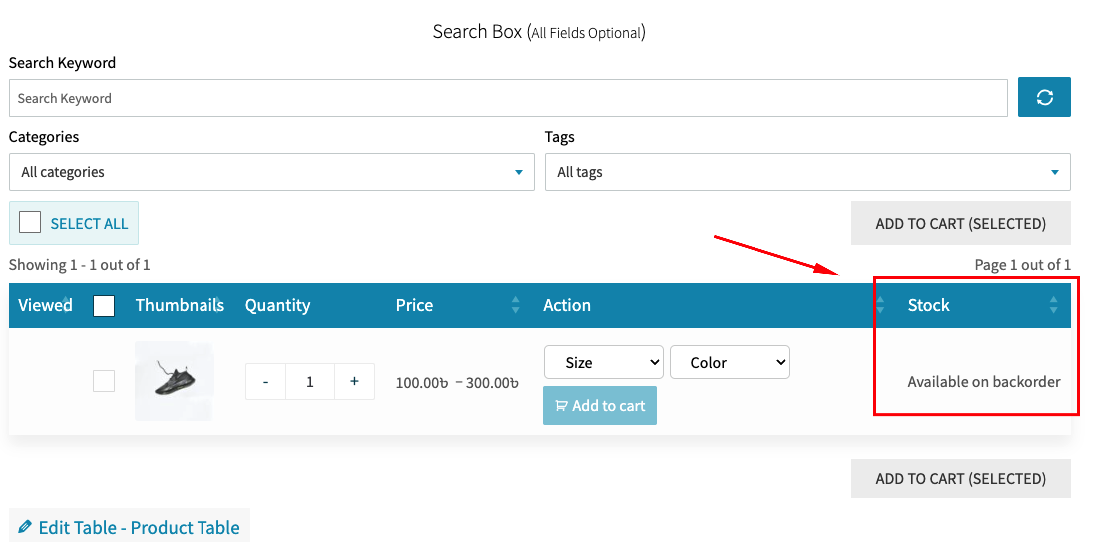
Show Products in Table by Stock Status (Stock/Out of Stock/On Backorder)
For Stock Products:
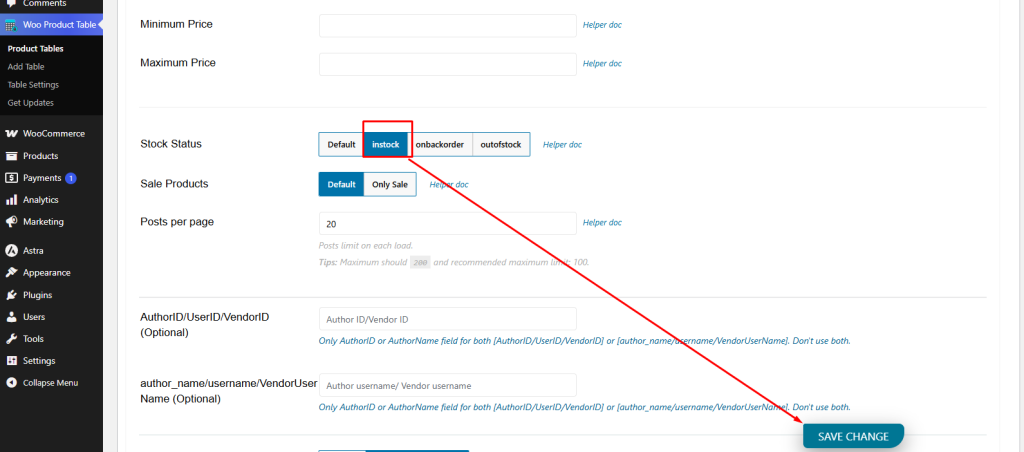
If you want to show only stock products by stock status in our product table, you can do that. From the 'Query’ tab. Then use the 'Stock Status - (Choose in stock)’ section. See the screenshot below:
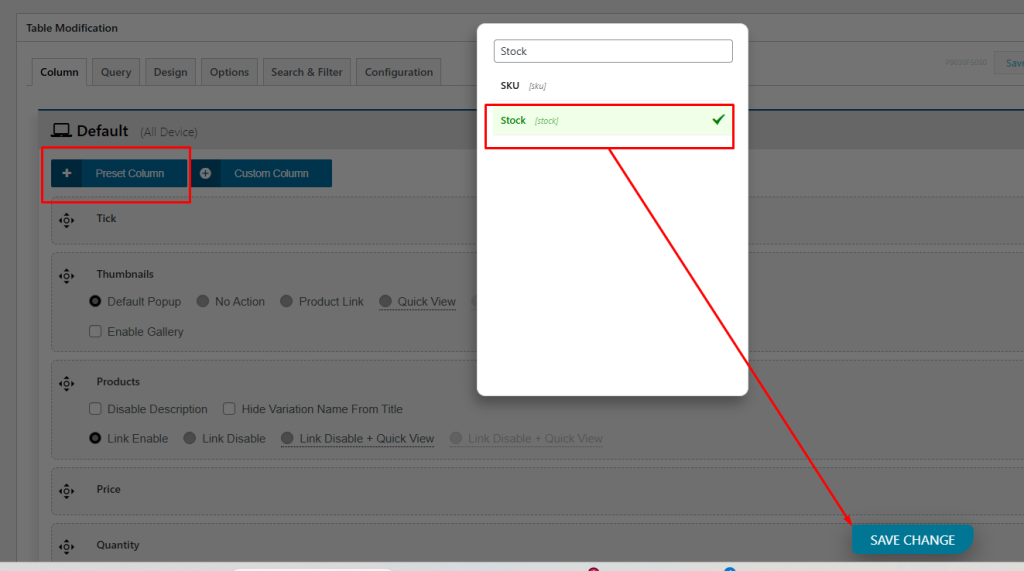
Add the Stock column:
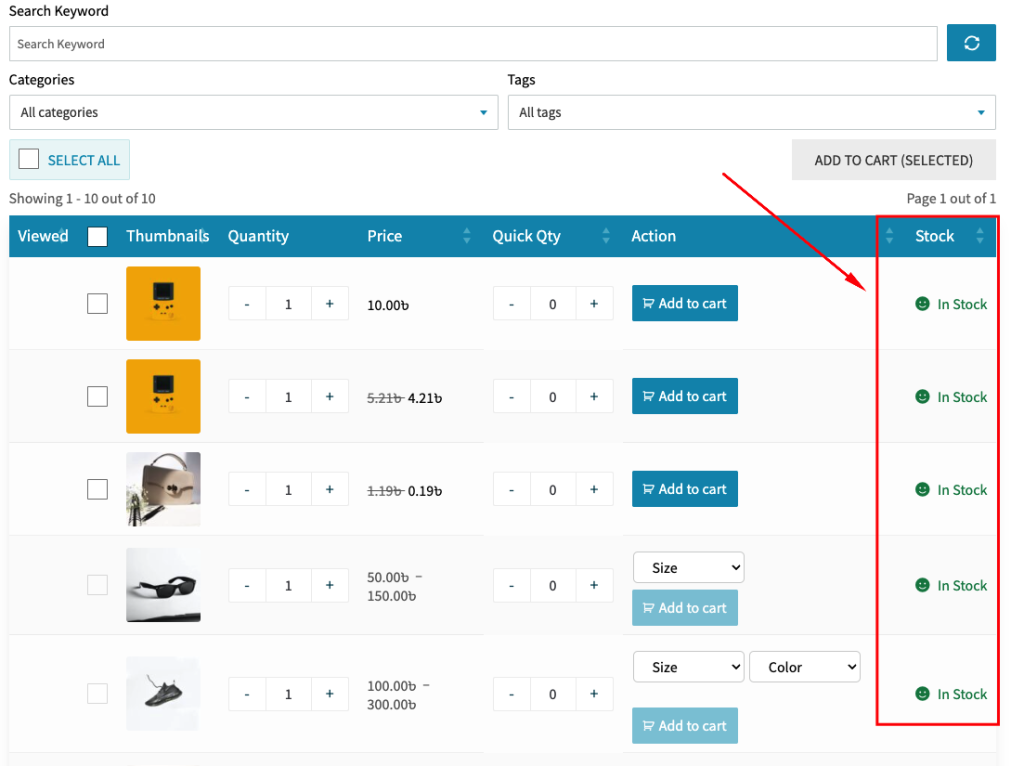
The Result (With only Stock Products):
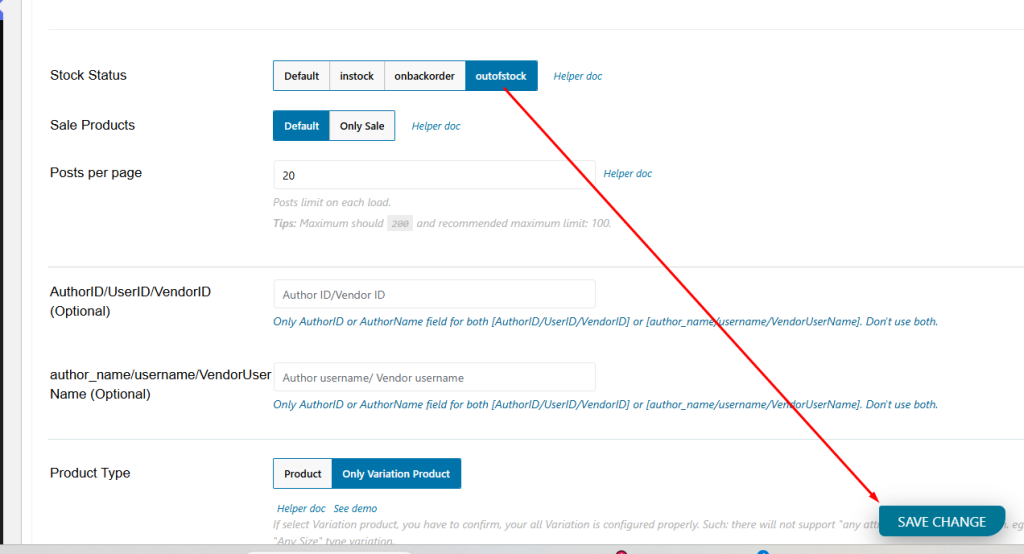
For Out-of-Stock Products:
Use the 'Stock Status - (Chose outofstock)’ section. See this below screenshot:
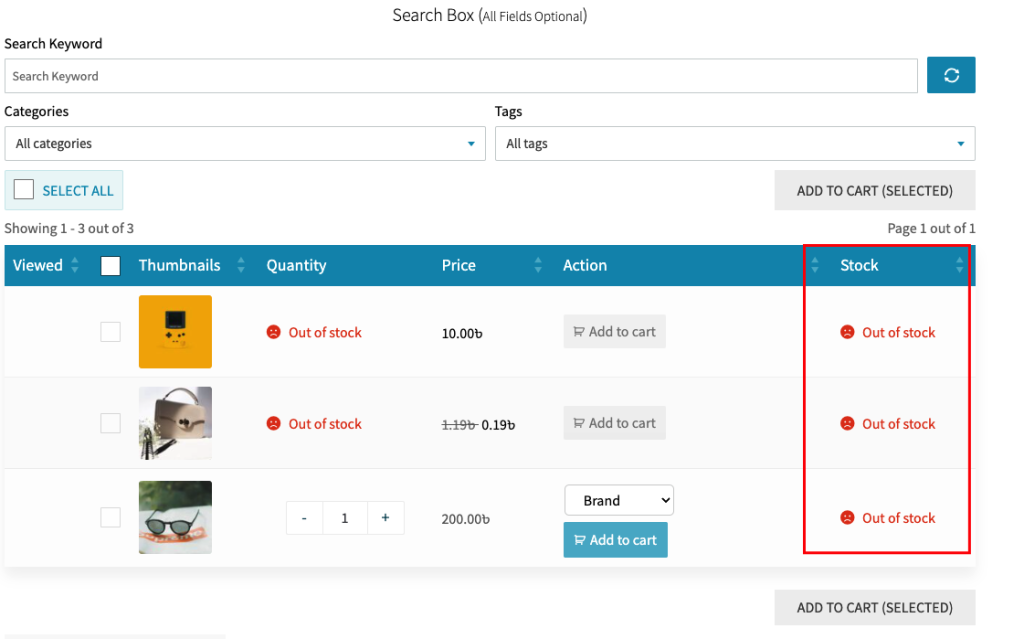
The Result (With only Out of Stock Products):
For On Backorder Products:
Running out of stock doesn’t mean losing sales. WooCommerce backorders let you take orders for products that are temporarily out of stock. But the problem is that it doesn’t allow you to notify users of how long they’d possibly have to wait before you’d be ready to fulfil their order. So, by using our plugin, you can create a table for backorder products on your site. Now, follow this section:
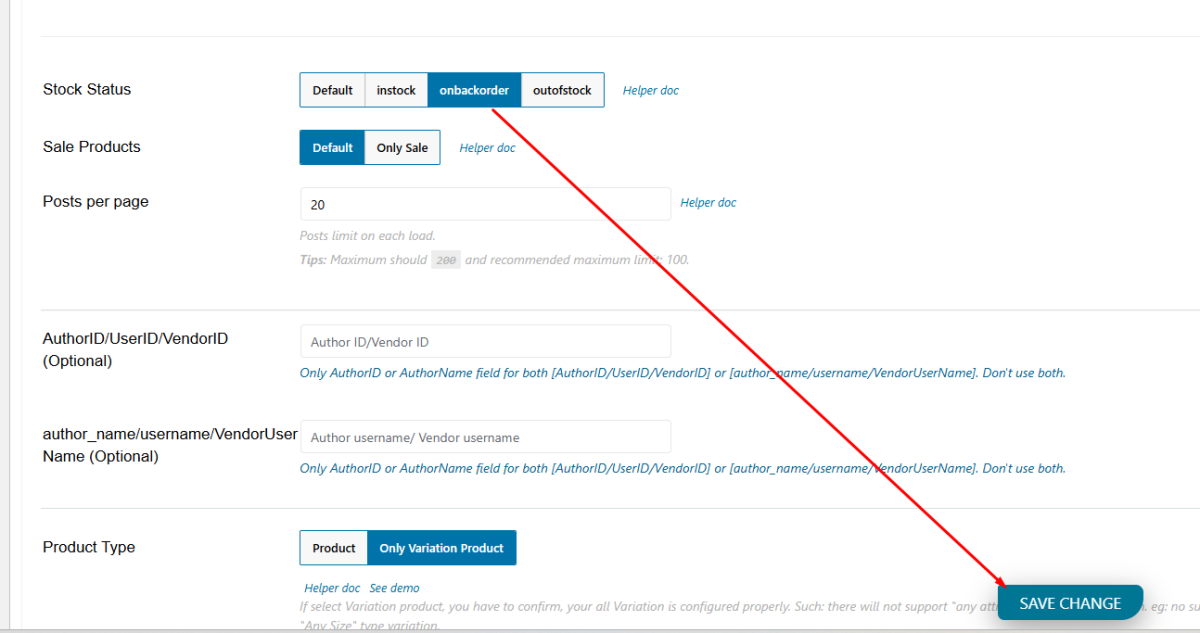
Use the 'Stock Status - (Choose on backorder)’ section. See the screenshot below:
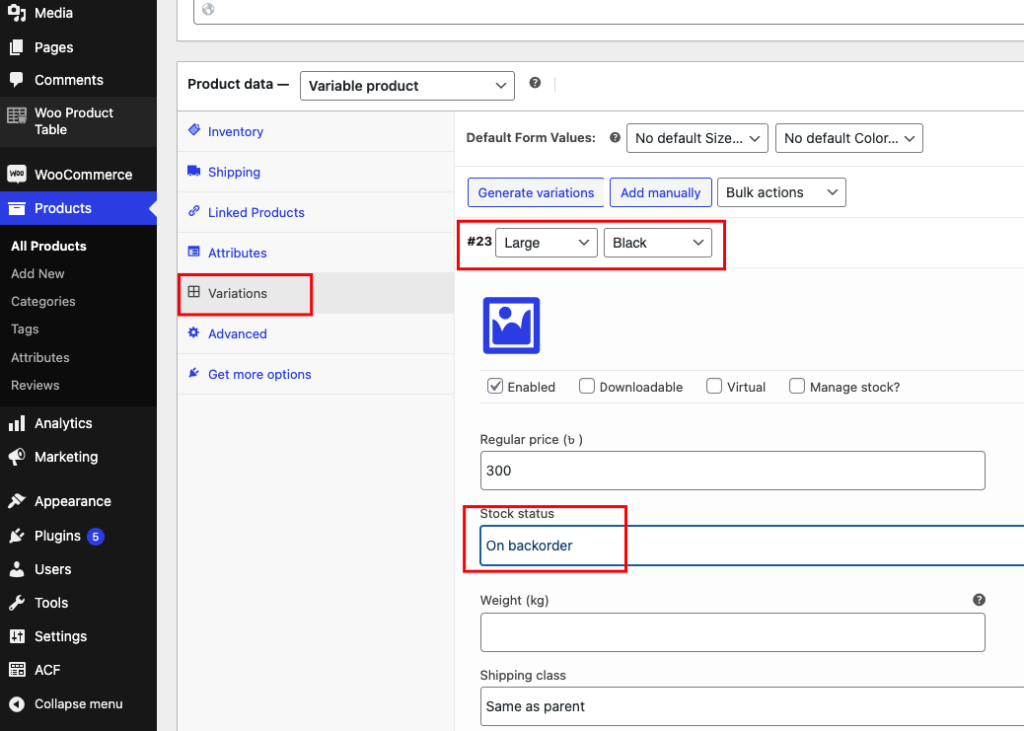
The Result (With only On Backorder Products):